Paid partnership with Bluehost
What if you could build a professional-looking website for free using AI, without knowing a single thing about coding? No tech meltdowns, no spending three hours choosing a font, and no wondering what HTML even stands for. I put the Bluehost AI builder to the test by creating a website for a fictional virtual assistant business from scratch. Could I actually build a website for free that looked like something a real freelancer would be proud to show potential clients? Here’s exactly how I did it, the prompts I used, and how the finished website turned out!
This post may contain affiliate links. Please read my disclosure for more info.
Can You Really Build a Website With AI for Free?
I decided to put Bluehost’s AI website builder to the test by creating a website for a fictional virtual assistant business from scratch. I’m sharing the exact AI prompts I used, a step-by-step video tutorial, and the finished website you can actually click around on.
Plus, I’ll show you what worked, what didn’t, and the limitations you should know about before trying it yourself. If you’ve been putting off starting a freelance business or side hustle because building a website sounds expensive or complicated, this might change your mind!
Is Bluehost’s AI Website Builder Really Free?
It is. And not the kind of “free” where you get halfway through creating something and suddenly need to pull out your credit card.
With Bluehost AI builder, it’s actually $0 to start, no credit card. You can create and publish a website without paying upfront, which makes it an interesting option for freelancers, virtual assistants, and anyone testing out a new side hustle.
There are a few things worth knowing, though.
Your free website gets a Bluehost subdomain. That means your website will have a Bluehost-branded address rather than something like yourbusiness.com. If you want to connect your own custom domain, you’ll need to upgrade to a paid plan. Bluehost offers paid plans from $20/mo.
The AI builder uses credits. Think of credits as your allowance for asking the AI to create or make changes to your website. Each eligible AI generation or edit uses credits, so it helps to plan your website before you start making changes.
And here’s the really good part: Your website doesn’t disappear when you run out of credits! Your published website stays online even when your credit balance reaches zero. Running out of credits affects your ability to make additional AI-powered changes, not whether visitors can see your website.
So, if you’re starting a freelance business on a budget and just want to get something online without a big financial commitment, this could be a great place to start.
Why I Chose a Virtual Assistant Website
For my little AI website-building experiment, I decided to invent a virtual assistant business. Because apparently running two real websites isn’t enough, and now I’m creating imaginary businesses too. 😂
Meet The Organized Edit, my completely fictional virtual assistant business that helps busy entrepreneurs with everything from email management and scheduling to Pinterest support and content creation.
I chose a virtual assistant business because it’s a popular work-from-home option, and I wanted to show how someone could create a professional-looking online presence without spending a lot or needing a degree in computer wizardry.
A simple one-page portfolio website is perfect for freelancers because it gives potential clients one place to learn about you, see what services you offer, and figure out how to get in touch. You don’t need a giant website with tons of pages and a blog you feel guilty about neglecting. Just a welcoming little corner of the internet that shows people what you do and why they might want to hire you.
I wanted to see whether Bluehost AI Builder could help me create exactly that, without spending money upfront or getting lost in a sea of website settings.
Related posts:
- How To Start A Food Blog And Make Money Sharing Your Recipes
- How To Make Money With A Website Without Selling Anything
How I Built My Website Using Bluehost AI
I want to use one detailed prompt to build the entire website, then save my remaining free Bluehost AI Builder credits for adjustments. I’m doing it this way so I can give you a realistic example of how much AI can accomplish from a single prompt.
Here is the exact prompt I used:
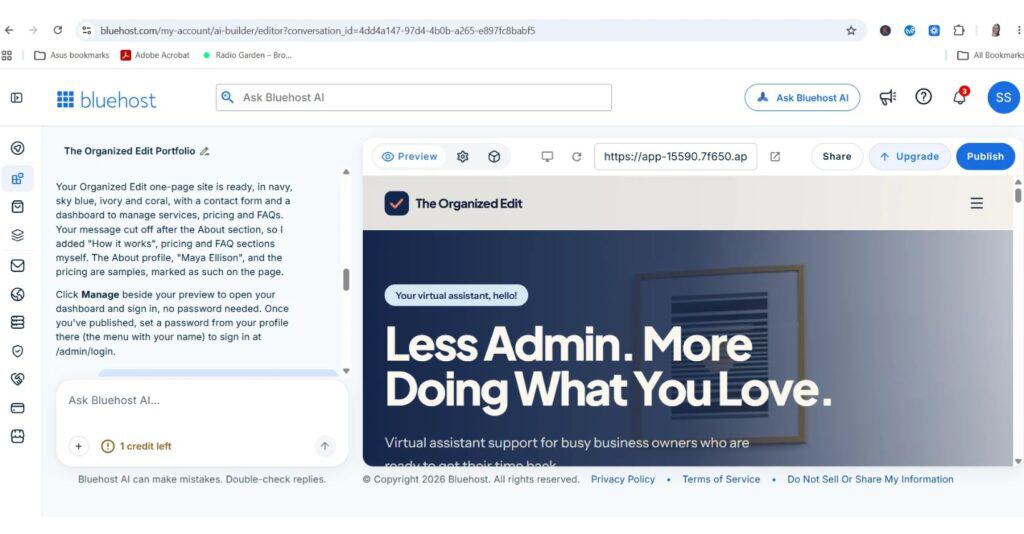
Here are the rest of my prompts, 2-4. Although they give you 5 credits per day to use on the free plan, I didn’t even need to use the 5th credit. I was able to create a professional, ready, functional website with just four credits (=four prompts).
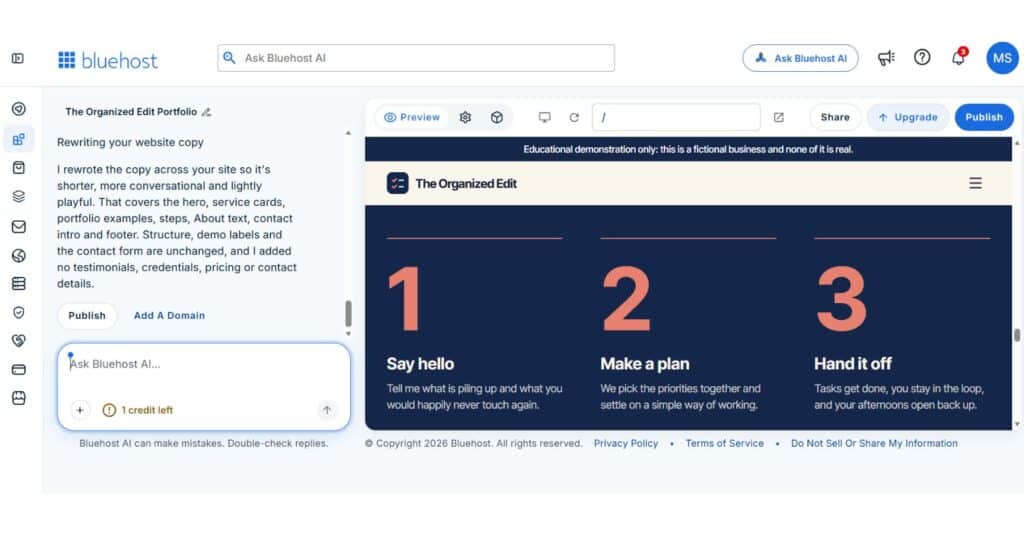
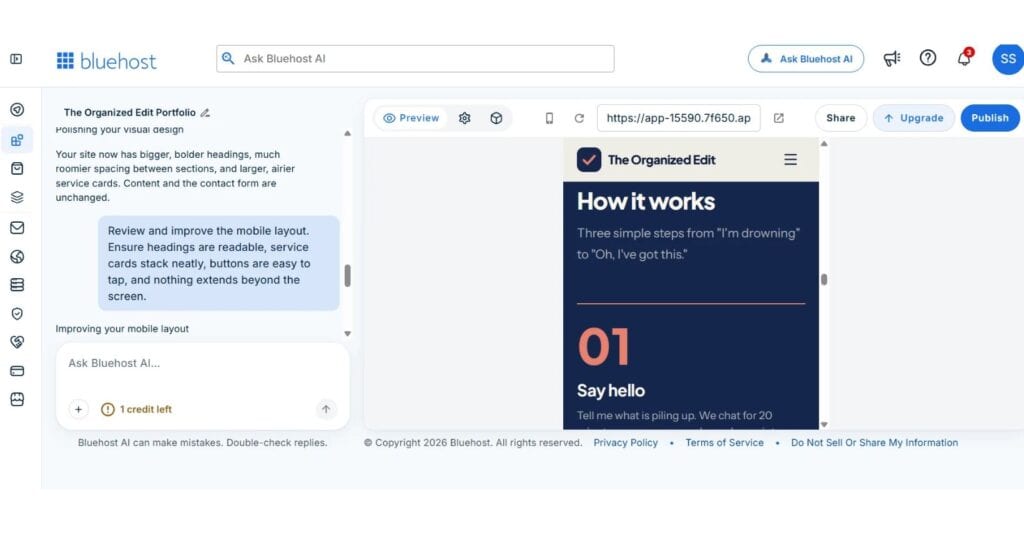
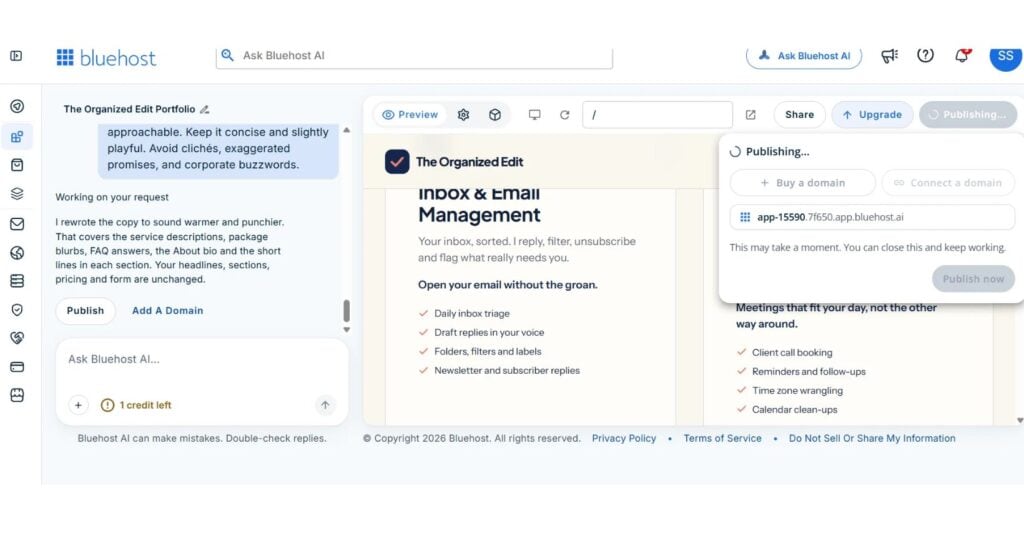
Watch Me Build the Website Using AI
Here is my complete step-by-step YouTube tutorial that will show you how I built the freelance website for free using Bluehost AI Builder.
The Finished Website
And voilà! My imaginary virtual assistant business officially has a home on the internet. Want to see how it all turned out?
Check out the finished website here and have a little click around. You can see exactly what I created using Bluehost AI Builder!
What I Loved (and Didn’t Love) About Creating a Website with AI
I loved the speed of website creation, and the professional look of the finished product. It’s truly wild how far AI has come since it’s inception.
What I don’t like is I used to teach a course on how to create your own website, and this Bluehost AI Builder tool will put a damper on those sales lol. But I do like to use time-saving tools in moderation and thoughtfully. I don’t want to reject all new tech, or reject progress.
If this tool can help my friend who wants a location-independent business so her and her husband can live half the year in the U.S. and half the year in Costa Rica, or help a woman I know work from home so she can pick up her kids every day from school, then I’m all for it.
Is Bluehost AI Builder Worth Trying?
If you’ve been putting off building a website because it sounds expensive or complicated, I think Bluehost AI Builder is worth exploring. It’s great for beginners, freelancers, virtual assistants, and side hustlers who want a simple website without learning to code.
With $0 to start, no credit card, it’s a low-pressure way to experiment with building a website before committing to a paid plan.
Free doesn’t mean unlimited. The AI builder uses credits for generating and editing your website, although your published site stays online even when you run out of credits.
You’ll also publish on a Bluehost subdomain with the Free plan. If your business grows and you want to connect your own custom domain, that’s when upgrading might make sense, with paid plans from $20/mo.
My advice is to try it out, start small, and see what you can create. You don’t need a 20-page website to launch a freelance business. Sometimes one simple, professional-looking page is plenty to get the ball rolling.
You’ve seen what I created. Now it’s your turn to see what you can build!
$0 to start, no credit card
Pin this post on how to make a website with AI to save: